
Lense: Disposable Event Camera
Rewaive B.V.Events
4.827.00 Reviews
- Version
- 1.4.5
- Installs
- 50.00K
- Age Rating
- Everyone
Screenshots
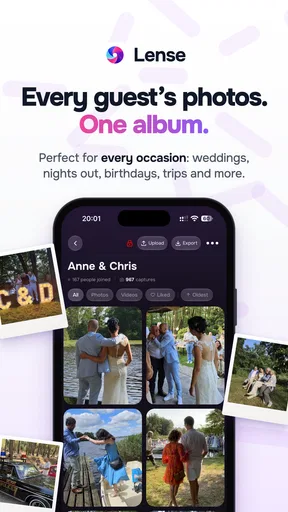
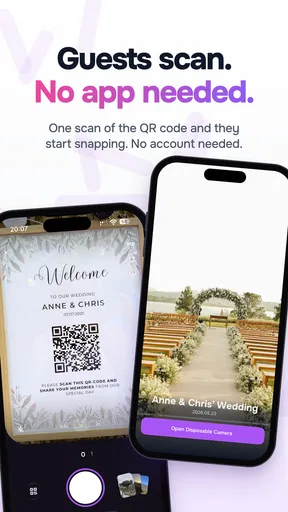
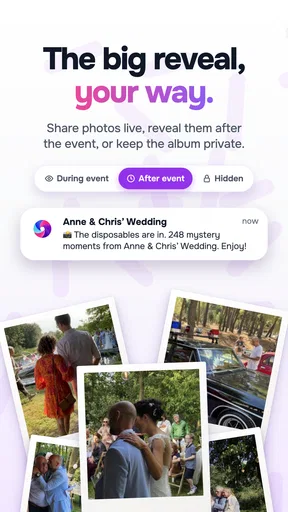
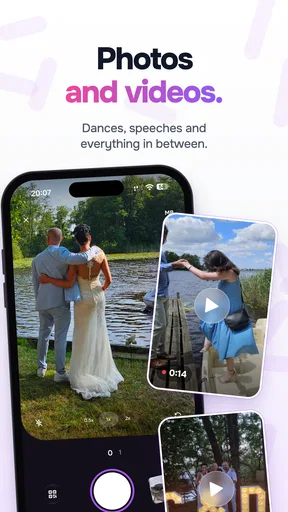
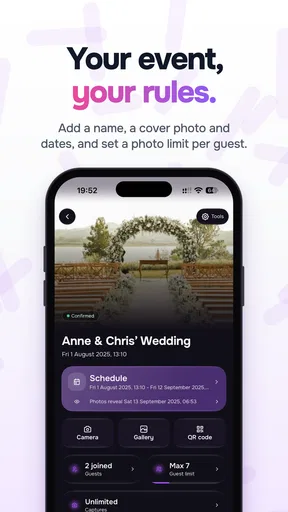
Our Review of Lense: Disposable Event Camera
 Analysis by Appyee
Have you ever been at an event and wished you could capture the moment without getting bogged down by endless editing options or storage issues? That's where Lense: Disposable Event Camera comes into play. Think of it as a digital disposable camera that brings back the nostalgia of those old-school film cameras but with a modern twist. I recently gave it a whirl, and here's what I found.
The first-week appeal: fewer choices, more attention
The charm is easy to understand the first time you use it. Most phone cameras invite you to inspect every frame, adjust settings, and take another version just in case. Lense sets a different expectation: make a choice, take the picture, and return to the people in front of you. That small change is more valuable at a crowded celebration than another filter or editing control.
I can see it working especially well when several friends want to contribute to the memories from one occasion. Instead of one person acting as the unofficial photographer all night, the idea of a shared event camera gives people a reason to take a few considered shots and then hand the phone back. It suits a birthday dinner, a reunion, or a casual get-together where the point is the company, not a polished album.
There is a trade-off, though: this approach only feels fun if everyone understands the delay and accepts that some photos may not be keepers. I would explain the concept before passing the phone around, particularly to guests who expect to check every image immediately. That simple bit of expectation-setting can prevent the no-preview rule from feeling like a technical problem.
Useful rituals for a real event
For a practical test, imagine taking Lense to a friend’s wedding reception. I would decide in advance which moments matter most: a table full of friends, a candid conversation, or the dance floor once it gets lively. With a limited number of exposures, it helps to choose a moment rather than shoot continuously. That is a useful discipline, but it also means I would not rely on this as my only camera for important, once-only moments.
When the light changes or people start moving, I would take an extra beat to steady the phone and frame the subject before pressing the shutter. Since the result cannot be checked straight away, a little care at capture time matters more than it does when you can instantly retake a shot. I would also avoid treating every exposure as a group-photo opportunity; the small, unplanned details often make a more personal record of the day.
This is also a good fit for a low-pressure weekend outing. At a picnic, for example, I might reserve a few shots for the shared meal, a candid moment, and the walk home rather than documenting every step. The limit gives the outing a beginning and an end instead of turning the phone into a camera that stays out constantly. If I wanted dependable coverage of a schedule or a large group, however, I would use the regular camera as well.
What Makes Lense a Must-Have?
First off, Lense: Disposable Event Camera is all about simplicity. The app's design is clean and intuitive, perfect for those who want to focus on the moment rather than fiddling with settings. As soon as you open the app, you’re greeted with a straightforward camera interface. No frills, no distractions. Just point and shoot.
The idea is to embrace the unpredictability and excitement of snapping photos without the pressure of perfection. You never really know what you’ll get until you’re ready to look back on your captures. It’s like a surprise in every click!
Features to Love
One of the standout features is the limited exposure count. Just like a disposable camera, you're given a set number of shots per event. This encourages you to be more mindful of what you capture, ensuring each shot counts. It’s a refreshing change from the regular "click-happy" digital experience.
Another cool feature is the "No Preview" rule. You can’t immediately review or delete photos, which keeps the excitement alive. Once the event is over, you can finally see how your photos turned out. Trust me, it feels like developing a roll of film, and it's a thrill!
Month-to-month value, not just a novelty
The core question is whether that delayed-reveal feeling stays enjoyable after the first gathering. For me, it has lasting value when an event gives people a shared reason to participate. A group that agrees to make a small collection of imperfect, candid memories can get more out of the ritual than someone using it alone as a replacement for every phone photo. The app’s appeal is therefore tied to the occasions you bring it to, not to a habit of opening it every day.
That makes it a rather different choice from the usual camera app. A standard phone camera is better when I need control, quick retakes, or a reliable picture of a particular person. A social photo-sharing app is more useful when immediate posting and reactions are the point. Lense sits between those habits: it turns taking pictures into an event activity, while asking me to give up instant checking. If that exchange sounds annoying rather than playful, the novelty may wear off quickly.
Its Events category makes sense because the app is most convincing when the occasion itself supplies the structure. I would not install it expecting a general-purpose photography toolkit. I would keep it in mind for recurring gatherings where the same group enjoys looking back at a small set of shared snapshots. A family that meets regularly might find that more meaningful than a huge camera roll, while someone who rarely attends group events may have fewer chances to use it.
Maintenance and practical trade-offs
One clear benefit is that a limited set of images gives you less to sort through later. That can reduce the familiar task of deleting near-duplicates from a long burst of phone photos. But it does not remove every bit of organization: I would still decide who is holding the phone, when it gets passed along, and when everyone can look at the results. The social routine is part of the product’s value, and a little coordination helps it work smoothly.
Before an event, I would make sure the phone is ready and that the people taking turns know they cannot inspect each result on the spot. I would also keep the ordinary camera available for anything that must be documented clearly. These are not complicated preparations, but they matter because Lense’s constraints are deliberate. Treating it as a backup for casual memories makes the limits feel charming; depending on it for a vital shot makes them feel risky.
The app is free to download, with in-app purchases listed from $5.49 to $109.99 per item. I would think about that distinction before paying for anything: the basic appeal is the shared, limited-shot experience, so I would first see whether that fits the way my friends actually gather. Lense is rated for Everyone, which makes it suitable to consider for a mixed-age event, though I would still explain the no-preview idea to younger guests so they know what to expect.
Who will enjoy it, and who may tire of it
I would recommend Lense to people who want a playful alternative to everyone taking nearly identical phone pictures, especially hosts who can introduce the camera as part of the evening. It can also suit guests who are trying to spend less time checking their screens. Its current version is 1.3.8, and it comes from Rewaive B.V.; it has a 4.8 average from around 964 ratings and over 50,000 installs. Those figures suggest a strong reception, but the more useful test is whether you enjoy delayed results and limited shots.
I would skip it if photography is mainly about control, immediate feedback, or getting a dependable record of a performance, ceremony, or group portrait. People who like to edit as they go may find the format restrictive, and anyone who takes photos only to share them immediately may prefer the built-in camera and their usual social apps. Lense is not trying to beat those tools at their own jobs; its appeal depends on wanting a different kind of experience.
Maintenance, fatigue, and the long-term verdict
There is little reason to make this a daily routine. The stronger habit is occasional: bring it to a gathering, let people contribute, and revisit the pictures afterward. That keeps the format fresh without turning a deliberately limited camera into another task to maintain. The app was released on February 25, 2023, and supports devices running Android 7.0 or later, making it accessible to many older Android phones as well as newer ones.
Could the restrictions become tiring? Certainly. If every event calls for the same delayed reveal, some guests may lose interest, and a limited exposure count can feel inconvenient when the group wants to capture lots of spontaneous moments. I would vary how it is used: one gathering might focus on candid portraits, another on small details, and another might skip it altogether. The point is to make the camera serve the occasion rather than force every occasion into the same format.
Overall, Lense earns a place on my phone as an occasional event tool, not as my main camera. Its best quality is the way it changes the social rhythm around taking photos: fewer checks, fewer throwaway shots, and more attention to the people nearby. The trade-off is real, since you surrender control and cannot count on every frame being usable. If that sounds like a fair exchange for a more playful record of a gathering, I think it is worth trying; if you need predictable results, your regular camera is the better choice.
Using the App at Events
During a recent family gathering, I decided to test out Lense. At first, it was a bit nerve-wracking not having instant feedback on my shots. But as the event progressed, I found myself enjoying the freedom of just capturing the essence of the moment. It allowed me to be more present and less caught up in getting the "perfect" shot.
Once the event wrapped up, I eagerly opened the app to see my photos. It was a delightful surprise. Some shots were candid, others a bit blurry, but all of them captured the spirit of the day. It was a beautiful way to relive the event.
Why You Should Give Lense a Try
If you’re someone who feels overwhelmed by the endless options and editing tools of modern cameras, Lense offers a refreshing alternative. It’s particularly great for events like weddings, parties, or any gathering where you want to be more in the moment. Plus, the element of surprise adds a layer of fun to the whole experience.
Moreover, the app limits the need for constant storage management. You won’t end up with a thousand photos to sift through, making it easier to cherish the ones that matter.
Overall, Lense is a fantastic way to capture memories without the pressure of perfection. It’s a delightful blend of nostalgia and modern convenience. Whether you’re a photography enthusiast or just someone who loves to capture life’s moments, this app is worth checking out. So next time you're at an event, give Lense a try and see where your creativity takes you.
Verdict
Strengths of Lense: Disposable Event Camera
- Easy-to-use interface for quick setup.
- Unique disposable camera concept.
- Automatically deletes photos after 10 days.
- Ideal for events and group activities.
- Fun retro filters enhance photos.
Limitations of Lense: Disposable Event Camera
- Limited photo storage capacity.
- No option to retrieve deleted photos.
- Requires internet connection to upload.
- Filters can't be adjusted manually.
- No editing tools for post-capture.
Similar Picks in This Category
View All
Easy Quran Mp3 Audio Offline
Muslim Worldapp4.7

Invitation Maker: Cards & RSVP
Greetings Island4.9

StubHub - Live Event Tickets
StubHub4.3

Fever: Events & Tickets
Fever Labs4.7

Epic Freebie Games Radar
Arioch Pds - Apps & Games4.4

Invitation card Maker, Design
Splendid App Maker4.9
Frequently Asked Questions
What is Lense: Disposable Event Camera?
Lense: Disposable Event Camera is a unique photography app designed to replicate the experience of using a disposable camera. It allows users to capture photos with a nostalgic, vintage feel, perfect for events or everyday moments. The app offers a simple interface, making it accessible for users of all photography levels.
How does the app simulate a disposable camera experience?
The app mimics a disposable camera by offering limited shots, delayed photo development, and a retro aesthetic. Users can take a set number of photos, which are then 'developed' after a waiting period, providing an authentic experience reminiscent of traditional film photography. This encourages thoughtful picture-taking and adds an element of surprise.
What are the main features of Lense: Disposable Event Camera?
Key features include a fixed number of shots per roll, a development delay to simulate traditional film processing, and various vintage filters to enhance the nostalgic effect. Additionally, the app offers easy sharing options, allowing users to post their developed photos directly to social media or save to their device.
Is Lense: Disposable Event Camera free to use?
The app is free to download with basic features available at no cost. However, it offers in-app purchases for additional features, such as extra film rolls, advanced filters, or faster development times. Users can enjoy the core experience without spending money, but premium options are available for enhanced functionality.
Is Lense: Disposable Event Camera available for both Android and iOS?
Yes, Lense: Disposable Event Camera is available for download on both Android and iOS platforms. It is designed to work seamlessly on a wide range of devices, ensuring that users can enjoy its features regardless of their preferred operating system. Regular updates ensure compatibility and performance across platforms.
